FaxFlow: Send & Receive Fax
Mobile Flow LtdBusiness
4.83.36K Reviews
- Version
- 1.2.5
- Installs
- 100.00K
- Age Rating
- Everyone
Screenshots
Our Review of FaxFlow: Send & Receive Fax
 Analysis by Appyee
I think a phone fax app earns its place when a deadline arrives before you can get to a printer, office, or copy shop. That is the sort of problem FaxFlow - Send Fax from Phone is meant to solve: it gives you a way to handle a fax from your phone rather than relying on a fax machine. For a first-time user, the key is to treat it as a practical sending tool, not as a replacement for every part of a paper-based office workflow.
What to expect from a phone-based fax
FaxFlow is a business app from Mobile Flow Ltd. It is free to install, rated for Everyone, and has a 4.7 average from around 15,000 ratings. The app has passed 50,000 installs, and its current version is 1.0.1. Those figures suggest it has found an audience, but they do not tell you whether it suits your particular documents or how often you plan to send them. I would judge it by a small, low-stakes first task before depending on it for something time-sensitive.
The main change from a traditional fax machine is convenience: your phone can be the point where you prepare and send a document. That is useful when you are away from work or need to act quickly, but it also makes document quality your responsibility. A clean, complete page matters more than a clever workflow. Before sending anything important, check that every page is legible and that the recipient details are correct.
Make the first attempt easy
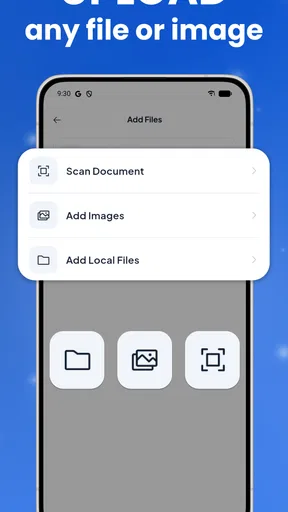
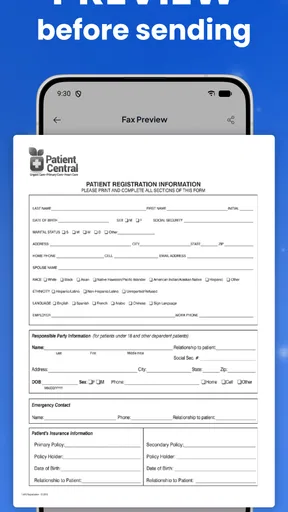
After installing, I would start with the document rather than rushing straight to the send step. If it is already on your phone, locate the final version and make sure it is the right file, not an earlier draft with missing pages. If you are working from paper, choose a flat, well-lit surface and frame the page carefully when using the camera. A quick preview can catch a clipped signature, shadow, or folded corner before it becomes a transmission problem.
For a first test, pick a document that is not confidential and does not have an urgent deadline. That gives you room to learn the sequence and see what confirmation looks like without adding pressure. If the app offers a choice of document sources or formats, use the version that preserves the page layout most reliably. A PDF is often a sensible format for a document whose spacing and pagination should stay fixed; an image can be convenient for a one-page paper original.
Do not assume that a fax being sent means the recipient has read or acted on it. I treat a completion notice as confirmation of the sending step, then use an ordinary follow-up—such as calling the recipient—when the document is important. That small distinction can prevent a last-minute misunderstanding, especially with forms that need a signature or an accompanying explanation.
Getting Started with FaxFlow
First off, setting up FaxFlow is a breeze. The app is available on both Android and iOS, so you can find it in the Play Store or App Store. Once downloaded, the interface is super intuitive. You don’t need to be a tech whiz to navigate through its features. The design is clean, and the layout is straightforward, making it user-friendly even for those who might not be so tech-savvy.
Features That Stand Out
FaxFlow offers a variety of features that make sending a fax as easy as pie. You can send faxes to over 150 countries, which is pretty impressive if you're dealing with international clients or family abroad. Plus, the app supports multiple file formats like PDF, DOC, and JPEG, so you're not limited when it comes to the types of documents you can send.
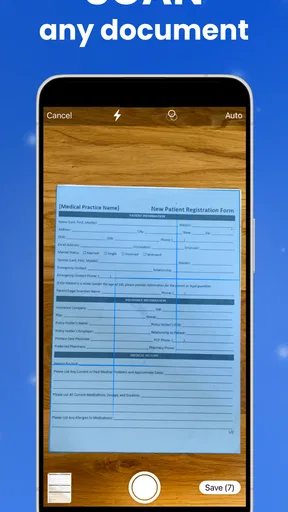
One of my favorite features is the ability to scan documents directly using your phone’s camera. This is perfect for those moments when you don’t have a digital copy handy. The app automatically adjusts the lighting and cropping, so your document looks professional and neat.
Turning a scan into a dependable send
Camera scanning is especially useful for paperwork that arrives on paper and cannot wait until you are back at a desk. I would use it for a signed form, a short application, or a page that needs to reach an office while I am out. The trade-off is that a phone image can be harder to inspect than a document created digitally. I would zoom in on names, dates, small print, and handwritten marks before sending; automatic cleanup can help with presentation, but it cannot correct information that was obscured or cut off in the original capture.
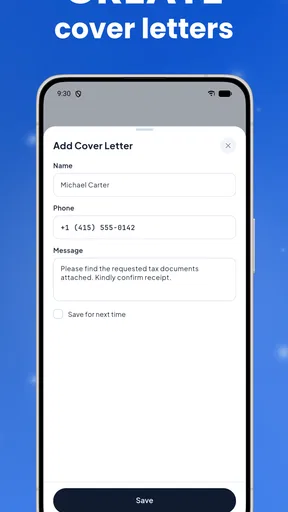
A practical everyday example is receiving a form during a lunch break that must be returned that day. I would place it on a contrasting, uncluttered surface, scan each page in order, and review the complete set before choosing the recipient. If there is a cover page, I would make sure it identifies the purpose clearly rather than relying on the recipient to infer it from an attachment. After sending, I would keep the confirmation and check the history so I can answer a later question about when I sent it.
That workflow also helps with a common point of confusion: a tidy scan is not necessarily a complete submission. Check whether the form asks for supporting pages, a second signature, or an ID copy, and compare the captured pages against the paper stack. This is a simple habit, but it is more reliable than discovering an omission after an office has started processing the fax.
User Experience
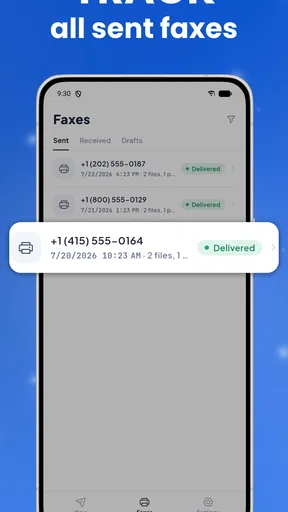
The user experience is smooth. I especially appreciate the instant notifications that let you know when your fax has been sent or if there was an issue. This eliminates the guesswork and provides peace of mind. Furthermore, the app stores a history of your sent faxes, which is great for keeping track of your communications.
Those confirmations and history are most valuable when they support a clear routine. I would note the recipient and purpose in my own records as well, especially if I send several documents for different matters. A history can help me retrace what I did, but I would not treat it as a filing system for every version of a document or as proof that the recipient has completed the next step. Keeping the final copy in the place where I normally manage work files avoids confusion later.
When a fax app is—and is not—the better option
Compared with a physical fax machine, a phone app saves the trip and avoids needing access to office hardware. Compared with a desktop fax service, it can be more convenient when the document is already on your phone or starts as paper in your hand. But if you fax regularly from a shared workplace, need a consistent team process, or must manage many incoming and outgoing documents, a dedicated office service may be easier to oversee. FaxFlow is most appealing for occasional, individual sending rather than as an assumed replacement for an organization’s established records and approval procedures.
It is also not automatically the best choice when the recipient accepts a secure online form, email attachment, or electronic-signature workflow. Those routes may be easier to track or may preserve a document’s interactive fields. I would use fax when the receiving office specifically requests it or when it is the practical route for that paperwork; otherwise, I would compare the recipient’s accepted options before scanning and sending.
Security and Privacy
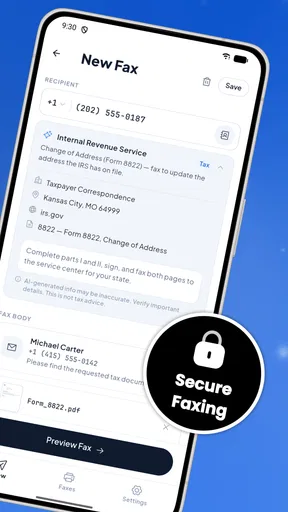
FaxFlow takes security seriously. The app uses advanced encryption to ensure your documents are sent securely. Given the sensitive nature of some faxes, knowing that your information is protected is a huge plus. The app also doesn’t store your documents on their servers once sent, which adds an extra layer of privacy.
Even with those assurances, I would still be careful about what I send and where I send it. Double-checking a fax number is a useful privacy step: a perfectly prepared document can still go to the wrong destination if the recipient details are mistyped. For highly sensitive paperwork, follow any handling rules that apply to your workplace or the organization requesting the fax, and avoid leaving scans open on a shared phone. The app’s security claims are reassuring, but sensible handling remains part of the process.
Pricing and Plans
Now, let's talk money. FaxFlow offers a variety of plans to suit different faxing needs. There’s a pay-as-you-go option, which is great if you only need to send the occasional fax. For frequent users, monthly plans are available, which can save you some cash in the long run. Compared to traditional fax services, it's a cost-effective solution, especially considering the convenience factor.
The app is free to download, but it also offers in-app purchases ranging from $9.99 to $199.99 per item. I would check the purchase details in the app before sending a batch of documents or choosing a plan, and compare the cost with how often I actually fax. For a rare one-page task, convenience may be worth paying for; for recurring business use, it makes sense to work out the likely ongoing expense first. I would not assume that installing the app means every fax is free.
Who will get the most from it
I see FaxFlow fitting people who occasionally need to send paperwork away from a fixed office: someone handling a personal form, a freelancer returning signed documents, or a small-business owner dealing with a request while travelling. Its appeal is strongest when the file is already on the phone or the paper can be scanned cleanly, and when there is no need to coordinate a team around the transmission.
I would hesitate to recommend it as the main solution for someone who sends faxes all day, needs a shared audit trail, or depends on a regulated office process. In those cases, the convenience of a personal phone workflow may not outweigh the need for standardized access and record keeping. Someone who has no reason to fax at all should also skip installing another utility; first check whether the organization will accept a simpler digital submission.
Final Thoughts
Overall, FaxFlow - Send Fax from Phone is a fantastic app for anyone needing to send faxes on the go. It’s packed with features that cater to both personal and business needs, and the user-friendly interface makes it accessible to everyone. Whether you’re sending a one-off document or need a reliable faxing solution, FaxFlow has got you covered. So next time you find yourself in need of a quick fax, give FaxFlow a try. You might never look at faxing the same way again!
My practical recommendation is to prepare one ordinary document, verify the destination carefully, and learn how the confirmation and sent-history steps work before a deadline depends on them. That gives a new user a straightforward first success while revealing whether the app fits their habits. For occasional faxing from a phone, that is a useful convenience; for frequent or tightly managed business traffic, I would compare it with a dedicated service before making it part of a larger workflow.
Verdict
Strengths of FaxFlow: Send & Receive Fax
- Easy-to-use interface for quick navigation.
- Supports multiple file formats like PDF and DOC.
- No need for a physical fax machine.
- Secure transmission with encryption features.
- Compatible with both Android and iOS devices.
Limitations of FaxFlow: Send & Receive Fax
- Requires a subscription for full features.
- Limited free trial period available.
- May experience occasional delivery delays.
- Needs stable internet for best performance.
- In-app purchases can be costly.
Similar Picks in This Category
View All
LinkedIn: Community & Network
LinkedIn3.8

Zoom Workplace
zoom.com4.1

Microsoft Teams
Microsoft Corporation4.6

Meta Business Suite
Meta Platforms, Inc.4.6

Webex Meetings
Cisco Systems, Inc.4.5

TeamViewer Remote Control
TeamViewer4.4
Frequently Asked Questions
What is FaxFlow and how does it work?
FaxFlow is an app that allows users to send faxes directly from their smartphones. It converts digital documents into fax format and sends them through a virtual fax machine over the internet. Users can upload documents from their device or cloud storage and input the recipient's fax number for seamless faxing.
Is FaxFlow compatible with both Android and iOS devices?
Yes, FaxFlow is compatible with both Android and iOS platforms. The app is available for download on the Google Play Store for Android users and the Apple App Store for iOS users, ensuring a wide range of compatibility across different devices.
Does FaxFlow require an internet connection to send faxes?
Yes, an active internet connection is required to use FaxFlow effectively. The app uses an online service to transmit documents as faxes. Wi-Fi or mobile data can be used, but a stable connection is essential to ensure successful delivery of faxes.
Are there any subscription fees or in-app purchases involved?
FaxFlow may offer both free and premium subscription options. While basic features might be accessible for free, premium plans typically unlock additional functionalities, such as higher page limits or enhanced customer support. Users should check the app's pricing details for specific subscription information.
Is FaxFlow secure for sending sensitive documents?
FaxFlow implements security measures to protect user data and ensure privacy during transmission. The app typically uses encryption to safeguard documents. However, users should review the app's privacy policy to understand the security protocols in place and confirm it meets their needs for confidential communications.
